

What is the Ford App?
The Ford app is Ford's mobile app for vehicle owners, allowing compatible Ford vehicles to connect with a smartphone for features such as remote start, remote lock and unlock, vehicle status, service scheduling, Ford Rewards, Connected Services, and other ownership tools.
The Ford app was previously known as the FordPass app. Ford transitioned to the simplified Ford app name as the company redesigned its mobile ownership experience.
For owners of compatible connected vehicles, the app can essentially act as a remote command center for the Ford in your driveway. Depending on the vehicle and equipment, you may be able to start it from your phone, check the fuel level or battery charge, monitor tire pressure, locate the vehicle, review maintenance information, manage connected subscriptions, check Ford Rewards Points, and schedule service.

What Can You Do With the Ford App?
The Ford app brings several parts of Ford ownership into one place.
Features vary by vehicle, but compatible Ford owners may be able to use the app to:
- Remote start or stop the vehicle
- Remotely lock and unlock the doors
- Locate the parked vehicle
- Check fuel level
- Check battery charge level on compatible electrified vehicles
- View odometer mileage
- Check tire-pressure information
- Review oil-life information
- View vehicle-health information and alerts
- Schedule Ford service
- Access Ford Rewards
- Manage eligible Connected Services
- Manage available BlueCruise service plans
- Manage certain connectivity subscriptions
- Access charging tools on compatible electric vehicles
- Control certain compatible vehicle features from a smartwatch
- Manage software-update settings on compatible vehicles
Not every Ford supports every feature. What appears in your app depends on your vehicle's model year, equipment, modem, software, account, and available Ford services.
Is the Ford App the Same as FordPass?
Yes. The Ford app is the successor to the FordPass app.
If you've owned a Ford for several years, you may be more familiar with the name FordPass.
Ford began transitioning its redesigned mobile experience to the simpler Ford app name in 2025. The app continues many of the functions owners previously associated with FordPass while Ford continues adding and updating connected features.
You may still see the FordPass name in older owner's manuals, online instructions, older advertisements, or documentation for previous model years.
Is the Ford App Free?
The Ford app itself can be downloaded to a compatible smartphone without purchasing the app.
Many basic connected vehicle functions are available without an additional subscription when the vehicle is compatible and properly connected.
Examples can include eligible:
- Remote start
- Remote stop
- Door locking
- Door unlocking
- Vehicle-status information
- Vehicle location
However, some additional Ford Connected Services may require a paid service plan after any applicable complimentary trial expires.
Those subscription-based services can vary by vehicle and may include products such as BlueCruise, connectivity packages, navigation, or other digital services.
For more information specifically about starting your vehicle remotely, see does Ford remote start cost money?
Can I Start My Ford From the Ford App?
Many compatible connected Ford vehicles can be remotely started through the Ford app.
Once your eligible vehicle is added to your Ford account and its modem is properly activated, remote-start controls may appear in the app.
This can be especially useful during Missouri's changing seasons.
On a cold winter morning, you may be able to start your Ford before leaving the house. During summer heat, remote start can allow the climate-control system to begin working before you get into the vehicle.
Remote-start functionality varies by vehicle and equipment.
For step-by-step information, visit can I start my Ford from my phone?
Can the Ford App Lock and Unlock My Vehicle?
Compatible Ford vehicles can use the Ford app for remote door locking and unlocking.
This can be useful when you cannot remember whether you locked your vehicle after walking away or need to unlock an eligible vehicle without immediately returning to it.
The remote command travels through Ford's connected vehicle system, so the phone does not need to be physically next to the vehicle the way a traditional key fob does.
Connected vehicle availability and cellular coverage can affect whether a command can be completed.
Can the Ford App Tell Me Where My Vehicle Is?
Compatible vehicles can provide parked-vehicle location information through the Ford app.
This can be helpful in places such as:
- Large parking lots
- Parking garages
- Airports
- Shopping centers
- Sporting events
- Large work sites
Vehicle-location capability depends on the vehicle's connected hardware, activation, account settings, and available network connection.
Can the Ford App Show My Fuel Level?
Yes. Compatible gasoline and hybrid Ford vehicles can provide fuel-level information through the Ford app.
This makes it possible to check approximately how much fuel is in the vehicle without walking outside and turning on the ignition.
Depending on the vehicle, additional status information may also be available through the app.
Can the Ford App Show My Mileage?
Yes. Compatible Ford vehicles can report odometer mileage through the Ford app.
This can be useful when:
- Scheduling maintenance
- Checking warranty mileage
- Managing a household vehicle
- Reviewing service needs
- Planning an upcoming road trip
For warranty purposes, your actual vehicle mileage and applicable warranty information should always be used when determining coverage.
Can the Ford App Show Tire Pressure?
Many compatible Ford vehicles can display current tire-pressure information in the Ford app.
This can make checking your tires more convenient, but it does not eliminate the need for regular physical inspection.
You should still periodically inspect your tires for:
- Low pressure
- Tread wear
- Punctures
- Sidewall damage
- Uneven wear
- Visible deterioration
Always use the recommended cold tire pressure listed for your specific vehicle rather than the maximum pressure printed on the tire sidewall.
Does the Ford App Show Oil Life?
Compatible Ford vehicles can provide oil-life or maintenance information through the Ford app.
Many modern Ford vehicles use an Intelligent Oil-Life Monitor rather than relying exclusively on one fixed mileage interval for every driver.
The system takes vehicle operation into account and can help indicate when the engine oil and filter should be changed.
The Ford app provides another convenient place to review that information without needing to sit inside the vehicle.
For more information, read how often should a Ford get an oil change?
Can the Ford App Show Vehicle Health?
Compatible Ford vehicles can share certain vehicle-health information and alerts through the app.
Depending on the vehicle, this may help owners monitor information associated with:
- Oil life
- Tire pressure
- Fuel or battery level
- Vehicle mileage
- Maintenance reminders
- Vehicle alerts
- Other available status information
An app alert is not a substitute for diagnosing a mechanical problem. If the vehicle reports a serious warning, follow the instructions provided by the vehicle and Ford rather than relying solely on the mobile app.
Can You Schedule Ford Service Through the App?
Yes. The Ford app can provide service-scheduling tools for participating Ford dealerships.
This can make it easier to move from seeing a maintenance need to actually arranging the service appointment.
Depending on dealership participation and availability, owners may be able to schedule services such as:
- Oil changes
- Tire rotations
- Brake service
- Battery service
- Scheduled maintenance
- Diagnostic appointments
- Other eligible Ford service
Ford has also integrated services such as eligible Ford Pickup & Delivery and Mobile Service into its broader connected ownership experience.
What Is Ford Pickup & Delivery?
Ford Pickup & Delivery allows participating dealers to pick up an eligible Ford from a customer's home or work, perform qualifying dealership service, and return the vehicle when the work is completed.
Availability depends on the dealership, location, requested repair, and other program requirements.
The Ford app can help eligible owners interact with Ford's service ecosystem without always having to handle every part of the process in person.
What Is Ford Mobile Service?
Ford Mobile Service allows participating dealerships to perform certain maintenance and light repairs at an eligible customer's location.
Depending on dealership availability, possible Mobile Service work can include services such as:
- Oil and filter changes
- Battery service
- Tire rotations
- Brake-related service
- Recalls that can be completed remotely
- Other qualifying maintenance or repairs
Not every repair can be performed through Mobile Service, and availability varies by participating dealership.
Can You See Ford Rewards in the Ford App?
Yes. Ford Rewards information is available through the Ford app.
Ford Rewards members can use the app to access their account and check available Rewards information.
Ford's current instructions direct members to the Account section of the app and then to Rewards.
Depending on your account, you can use Ford Rewards to track Points you've earned through eligible activity and redeem qualifying Points toward Ford products and services.
Learn more with our guides to:
- What are Ford Rewards Points?
- How do Ford Rewards Points work?
- How much are Ford Rewards Points worth?
- What can Ford Rewards Points be used for?
Can the Ford App Manage Connected Services?
Yes. Managing compatible Ford Connected Services is an increasingly important part of the Ford app.
Once an eligible Ford is added to your app and properly connected, available services tied to the vehicle's VIN can appear in the app.
Depending on the vehicle, owners may be able to:
- View available Connected Services
- Activate eligible trial services
- Purchase available services
- Manage active services
- Cancel eligible services
- Review vehicle-specific subscription options
Available Connected Services vary considerably by model year, model, trim, hardware, and software.
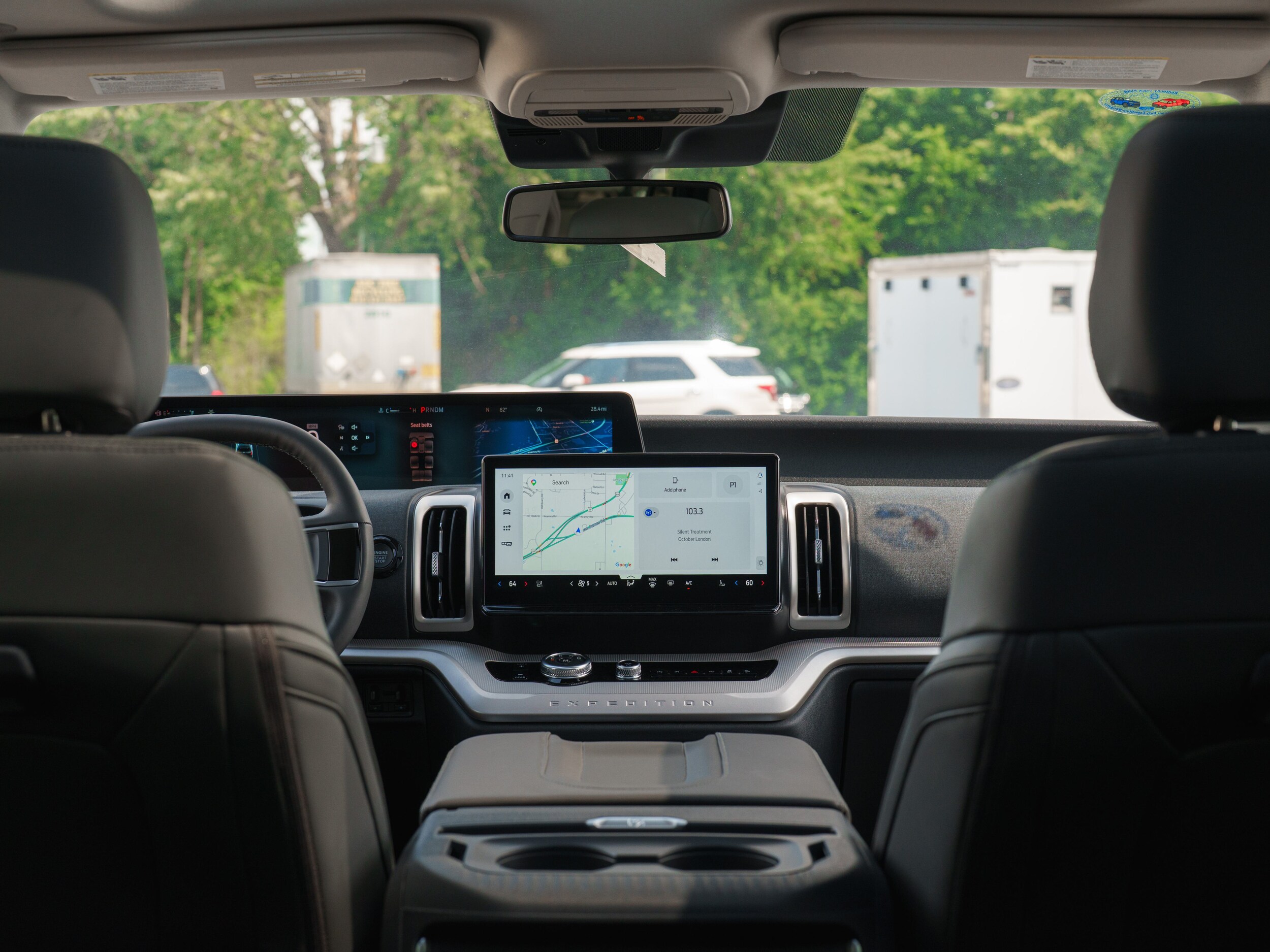
Can You Manage BlueCruise Through the Ford App?
On compatible Ford vehicles, the Ford app can be part of managing available Connected Services such as Ford BlueCruise.
BlueCruise is Ford's available hands-free highway driver-assistance technology for compatible vehicles and approved roadways.
The vehicle must have the appropriate hardware, software, and an eligible service plan for applicable BlueCruise functionality.
BlueCruise is a driver-assistance system and does not make the vehicle fully autonomous. The driver must remain attentive and prepared to take control.
Can the Ford App Manage Software Updates?
Ford has added software-management capabilities to newer versions of the app for compatible vehicles.
Depending on the vehicle, owners may be able to review or manage certain software-update settings through the Ford app.
Keeping vehicle software current can be increasingly important as modern Ford vehicles rely on software for infotainment, connectivity, driver-assistance features, and other systems.
Can You Use the Ford App on an Apple Watch?
Ford has expanded certain app functionality to compatible smartwatches.
Depending on the vehicle and device, eligible owners may be able to use compatible wearable controls for functions such as:
- Remote vehicle start
- Locking the vehicle
- Unlocking the vehicle
- Checking fuel or battery information
- Checking charging status on compatible EVs
- Locating the vehicle
- Activating the horn and lights
Available smartwatch functionality can change with software updates and device compatibility.
Can the Ford App Replace My Key?
Not on every Ford.
Some properly equipped Ford vehicles support Phone As A Key, which can allow a compatible smartphone to perform certain functions normally associated with a physical vehicle key.
However, Phone As A Key availability depends on the specific vehicle and hardware.
A Ford that supports remote start through the app does not automatically mean the phone can completely replace the key fob.
Can I Give Someone Else Access to My Ford Through the App?
Ford has added functionality that can allow eligible owners to authorize friends or family members for certain connected vehicle access.
On compatible vehicles and accounts, authorized users may be able to perform eligible functions such as:
- Locking and unlocking the vehicle
- Starting the vehicle
- Viewing fuel or battery information
Availability and authorization requirements depend on the vehicle and Ford's current app functionality.
Can the Ford App Find My Car in a Parking Lot?
Compatible vehicles can provide location information that may help you find where the vehicle is parked.
On certain supported devices, additional commands such as activating the vehicle's horn or lights can also make it easier to identify the Ford in a crowded parking area.
Does the Ford App Work With Every Ford?
No. Ford app functionality depends heavily on the vehicle.
Several factors determine which features are available:
- Model year
- Vehicle model
- Trim level
- Factory equipment
- Connected modem hardware
- Modem activation
- Vehicle software
- Cellular network availability
- Ford account status
- Available Connected Services
A newer connected Ford will generally offer substantially more app functionality than an older Ford without compatible connected-vehicle hardware.
Does My Ford Need a Modem for the App?
A compatible connected modem is important for many of the Ford app's remote vehicle functions.
The modem allows the vehicle to communicate with Ford's connected systems so commands can travel between your phone and the vehicle.
For example, modem connectivity can be used for eligible:
- Remote start
- Remote lock and unlock
- Vehicle location
- Vehicle-status information
- Connected Services
Ford specifically notes on current connected vehicles that modem activation is required for many remote app functions and Connected Services.
Does the Ford App Use Bluetooth?
Some Ford phone and vehicle functions can involve Bluetooth, but Ford app remote features are not limited to the short range of a traditional Bluetooth connection.
Many remote vehicle commands use the vehicle's connected modem and cellular connectivity.
That is why an eligible vehicle may be remotely started or checked from a location much farther away than a traditional key fob could reach.
Network availability still matters. If the vehicle cannot communicate with the connected network, some commands may not work.
Does the Ford App Work Without Cell Service?
Many remote Ford app functions depend on data connectivity between your phone, Ford's connected systems, and the vehicle.
If your phone or vehicle does not have an adequate connection, a remote command may be delayed or unable to complete.
This is different from a traditional key fob, which communicates locally with the vehicle.
Can I Remote Start My Ford From Anywhere?
Because compatible Ford app commands use connected vehicle technology rather than only key-fob range, you do not necessarily need to be standing near the vehicle.
However, successful operation still depends on:
- A compatible vehicle
- Proper modem activation
- An active Ford account
- Network availability
- Vehicle conditions that permit remote start
The Ford app should never be used to remotely start a vehicle in an enclosed area where exhaust gases could accumulate.
Why Won't My Ford App Remote Start Work?
If a remote command does not work, there are several possible causes.
Things to check can include:
- Whether the vehicle has been properly added to your Ford account
- Whether the vehicle modem is activated
- Whether the phone has internet access
- Whether the vehicle has adequate network connectivity
- Whether the vehicle battery has sufficient charge
- Whether the vehicle meets the conditions required for remote start
- Whether the app needs an update
- Whether the vehicle has a warning or condition preventing remote operation
If the problem continues, Ford app support or a Ford dealership can help determine whether the issue is account-, connectivity-, software-, or vehicle-related.
How Do I Add My Ford to the Ford App?
Adding a compatible vehicle generally involves signing in to your Ford account and entering or scanning the vehicle identification number, or VIN.
The vehicle may then require an in-vehicle authorization step and modem activation before remote features become available.
The exact process can vary depending on model year and vehicle technology.
See our complete guide to how to add your Ford to the Ford app.
Where Do I Find My Ford VIN?
Your 17-character vehicle identification number can typically be found in several places, including:
- At the lower driver's side of the windshield
- On the driver's door or door-jamb label
- On vehicle registration paperwork
- On insurance documents
- On purchase or lease paperwork
Make sure you enter the VIN exactly when adding a vehicle to the app.
Can the Ford App Be Used With More Than One Vehicle?
Ford owners with multiple compatible vehicles can manage vehicles through their Ford account.
This can be useful for households with multiple Ford vehicles or owners who replace one Ford with another and want to continue using the same Ford account.
Available functionality is determined separately for each vehicle based on its equipment and connected capabilities.
Can Two People Use the Ford App With the Same Vehicle?
Ford provides methods for eligible vehicle owners to authorize additional users or family members for compatible vehicle access.
The exact setup depends on the vehicle and current Ford account features.
Owners should use Ford's authorization tools rather than simply sharing account passwords.
Can the Ford App Be Used With an F-150?
Many recent Ford F-150 models include connected modem technology that supports Ford app functionality.
Depending on model year and equipment, an F-150 owner may have access to features such as:
- Remote start
- Remote lock and unlock
- Vehicle location
- Fuel information
- Tire-pressure information
- Oil-life information
- Vehicle-status information
- Service tools
- Ford Rewards
- Available Connected Services
Can the Ford App Be Used With a Bronco?
Many recent Ford Bronco models support connected Ford app features when properly equipped and activated.
Available commands and vehicle information depend on the individual model year and configuration.
Can the Ford App Be Used With a Maverick?
Recent connected Ford Maverick models can support Ford app features including eligible remote vehicle commands and status information.
For example, applicable current Maverick equipment lists Ford app functionality including remote start, remote locking and unlocking, scheduled remote starts, parked-vehicle location, vehicle-health status, and Connected Services activation.
Can the Ford App Be Used With Explorer and Expedition?
Recent Ford Explorer and Expedition models include extensive connected-vehicle technology.
Depending on model year and configuration, owners can use the Ford app for compatible remote vehicle controls, status information, and Connected Services.
These vehicles also demonstrate how Ford's app increasingly works alongside larger digital vehicle ecosystems, including available connectivity subscriptions and BlueCruise.
What Does the Ford App Do for Electric Vehicles?
The Ford app can provide additional EV-specific functionality on compatible electric Ford vehicles.
Depending on the vehicle, available tools can include:
- Checking battery charge level
- Viewing charging status
- Managing certain charging functions
- Finding compatible public charging
- Accessing Ford's public charging ecosystem
- Planning charging-related trips
- Managing compatible connected EV services
EV functionality varies by vehicle, software, market, and available services.
Can I Use Ford Rewards Through the Ford App?
Yes. Ford Rewards is integrated with the Ford account used by the app.
Current Ford instructions allow members to access Rewards through:
Ford App > Account > Rewards
From there, eligible members can access Ford Rewards information associated with their account.
Ford Rewards Points can be earned and redeemed through qualifying activities according to current program terms.
Is the Ford App Worth Setting Up?
For an owner with a compatible connected Ford, the app can make several everyday tasks easier.
Instead of walking outside to check the fuel level, wondering whether the doors were locked, trying to remember the current mileage, or searching separately for service and Rewards information, many of those ownership functions can be brought together in one place.
The Ford app is particularly useful if you regularly use:
- Remote start
- Remote door controls
- Ford Rewards
- Vehicle-status monitoring
- Service scheduling
- Ford Connected Services
- BlueCruise
- EV charging features
The usefulness of the app ultimately depends on how much connected functionality your particular Ford supports.
Ford App FAQ
What is the Ford app?
The Ford app is Ford's mobile ownership application. It connects compatible Ford vehicles with a smartphone and provides access to remote vehicle controls, vehicle information, Ford Rewards, service tools, Connected Services, and other eligible features.
Is FordPass now called the Ford app?
Yes. Ford transitioned the former FordPass app to the Ford app name as part of a redesigned mobile ownership experience.
Is the Ford app free?
The Ford app itself is available without purchasing the app. Many compatible basic remote features are available without an added subscription, while certain Connected Services can require a paid plan.
Can I start my Ford with the app?
Many compatible connected Ford vehicles can be remotely started and stopped through the Ford app after the vehicle is properly added and activated.
Can I unlock my Ford with my phone?
Compatible vehicles support remote lock and unlock commands through the Ford app. Certain vehicles can also support Phone As A Key functionality.
Can the Ford app show my fuel level?
Yes. Compatible vehicles can display fuel information through the Ford app.
Does the Ford app show tire pressure?
Many compatible Ford vehicles can report tire-pressure information through the app.
Does the Ford app show oil life?
Compatible vehicles can provide oil-life and other vehicle-maintenance information through the Ford app.
Can I locate my Ford with the app?
Compatible connected vehicles can provide parked-vehicle location information through the Ford app.
Can I schedule service in the Ford app?
Yes. The Ford app includes service tools that can help eligible owners schedule service with participating Ford dealerships.
Can I see Ford Rewards Points in the app?
Yes. Ford Rewards information can be accessed through the Account section of the Ford app.
Does the Ford app work with Apple Watch?
Ford supports certain compatible smartwatch functions, which can include remote start, lock and unlock, fuel or battery information, vehicle location, and horn or light activation depending on vehicle and device compatibility.
Does every Ford work with the Ford app?
No. Available Ford app functionality depends on vehicle model, model year, equipment, modem hardware, software, network connectivity, and account activation.
Do I need to activate my Ford's modem?
Modem activation is required for many remote Ford app functions and Connected Services on compatible vehicles.
Can multiple people use the Ford app for one Ford?
Eligible owners can use Ford's authorization features to provide compatible vehicle access to additional authorized users.
Where do I download the Ford app?
The Ford app is available for compatible smartphones through the appropriate mobile app store. Search for the official Ford app published by Ford Motor Company.
Get Help With the Ford App at Chuck Anderson Ford
If you recently purchased a Ford and aren't sure how to connect it to the Ford app, Chuck Anderson Ford in Excelsior Springs can help you get started.
Setting up the app when you purchase your vehicle can help ensure you have access to the connected ownership features available for your particular Ford.
Depending on your vehicle, that may include:
- Remote start
- Remote lock and unlock
- Vehicle status
- Maintenance information
- Ford Rewards
- Service scheduling
- Connected Services
If you already own a Ford but haven't used the app, it may still be worth checking whether your vehicle supports connected functionality.
Continue your research with can I start my Ford from my phone?, does Ford remote start cost money?, and how do I add my Ford to the Ford app?
You can also learn more about Ford Rewards Points and how Ford Rewards works.
Return to the Ford Ownership Resource Center for more information about Ford warranties, Ford Rewards, maintenance, connected features, and long-term Ford ownership.
Ford app features and Connected Services vary by vehicle, model year, trim, equipment, modem hardware, software version, smartphone compatibility, account status, network availability, and service-plan eligibility. Some features require modem activation, compatible connected-vehicle hardware, or a separate paid Connected Service. Features and availability can change as Ford updates vehicle software, mobile applications, networks, and services. Always review the features available for your specific Ford and VIN.